We generally use nested IF formulas to get values based on conditions, but the CHOOSE function is the best alternative method to get the same result. It is my personal preference to use CHOOSE instead of nested IF formulas because it is easier for me track where I am in my formula without thinking through the false aspect of the formula.
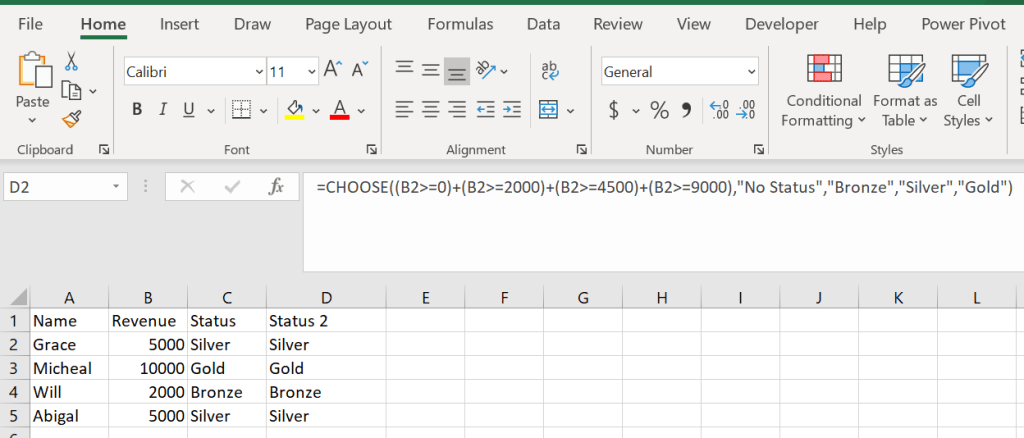
Here is the same table from the nested IF formula but this time we are using CHOOSE.=CHOOSE((B2>=0)+(B2>=2000)+(B2>=4500)+(B2>9000),”No Status”,”Bronze”,”Silver”,”Gold”)CHOOSE is always arranged in ascending order (lowest to highest). In the formula you can see each condition as well as the value that would correspond to that condition.
How this formula works is you give a value to each condition and based on the conditions position the corresponding value is returned.

 DiG with Data