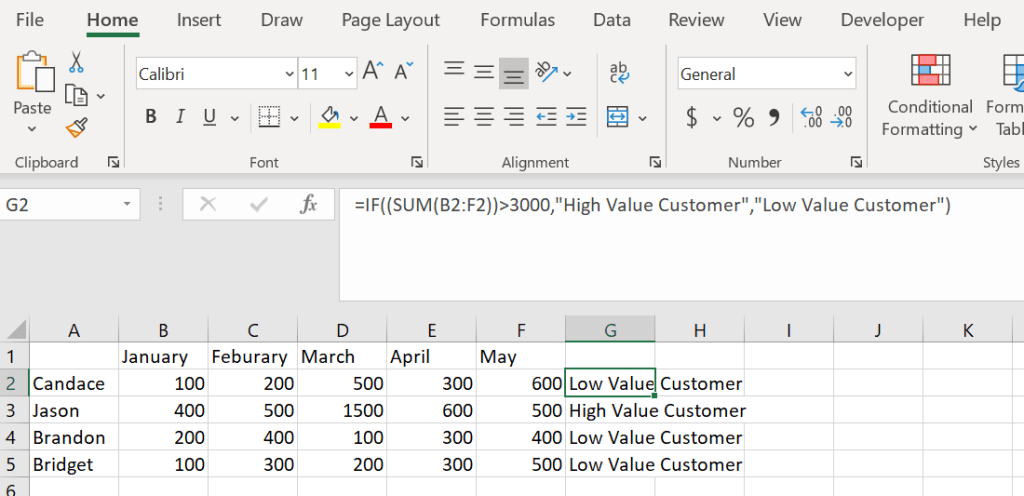
This is an IF formula explained. I wanted to touch on some simple formulas before I started referencing them in more complex ones. An IF formula evaluates a logic test and returns a value for true and false. In this example I want to include a sum formula inside of the logic test portion of the IF formula to get everyone used to seeing how powerful formulas can be when a few are combined.
=IF((SUM(B2:F2))>3000,”High Value Customer”,”Low Value Customer”)

 DiG with Data