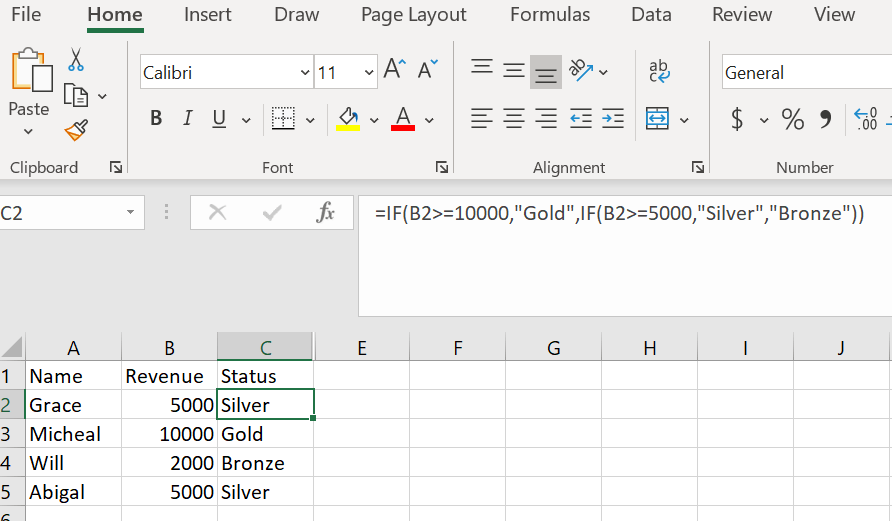
A nested IF formula is a IF formula inside of another IF formula. This is important when you need to evaluate multiple criteria and the possible outcome for each part of the criteria needs to be different. Here is an example:
=IF(B2>=10000,”Gold”,IF(B2>=5000,”Silver”,”Bronze”))
In this formula we are evaluating our customers revenue to determine what Status we should give them.
In plain language this formula is saying:
If the revenue amount in cell B2 is greater than or equal to 10,000 the customers status should be Gold.
If it’s not but, IF it is greater than or equal to 5,000 it should be Silver.
And if its neither of those then it should be Bronze.
The best practice for writing a nested IF is to always go from largest to smallest value.

 DiG with Data