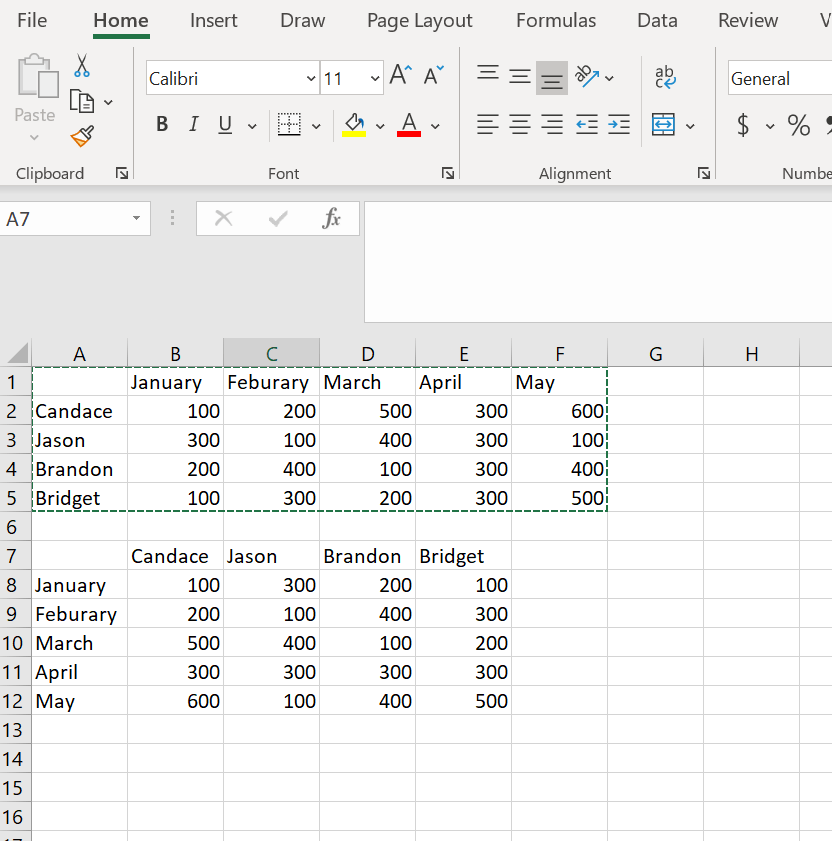
This one is a little different then my others since it is not a formula. Transpose Paste is to take the data from columns and rows and switch their position. So the columns become the rows and the rows become the columns.
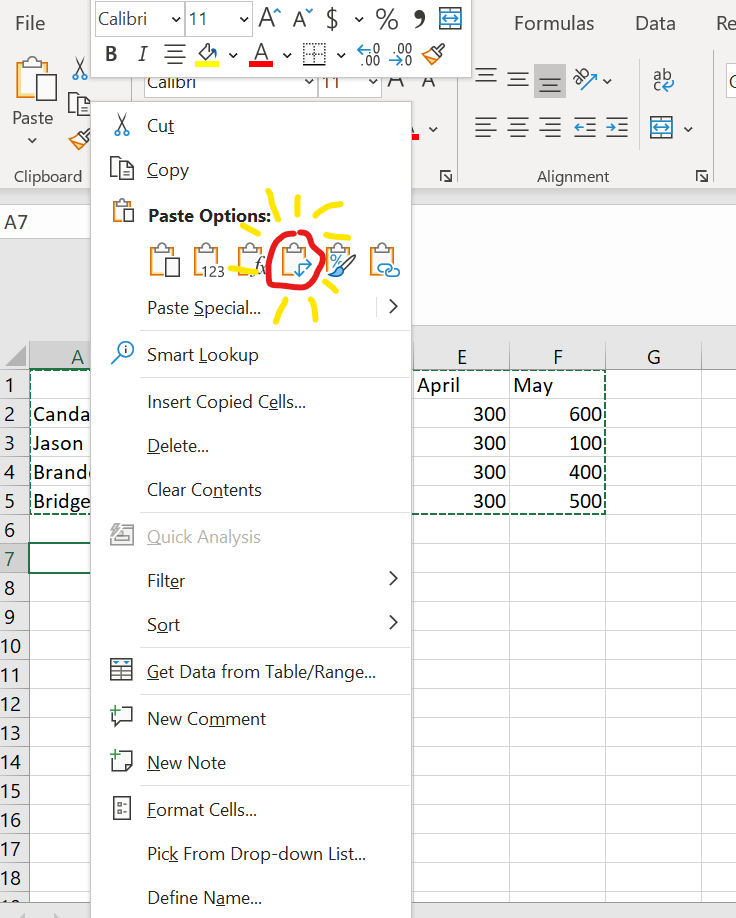
This is as simple to do as copying your data (highlight the data and then Ctrl+C), choosing the cell you want to start the transposed data in, right click and under paste selecting the transpose option.
Here are is a screenshot to show you which paste is transpose and also a screenshot of transposed data.

 DiG with Data